
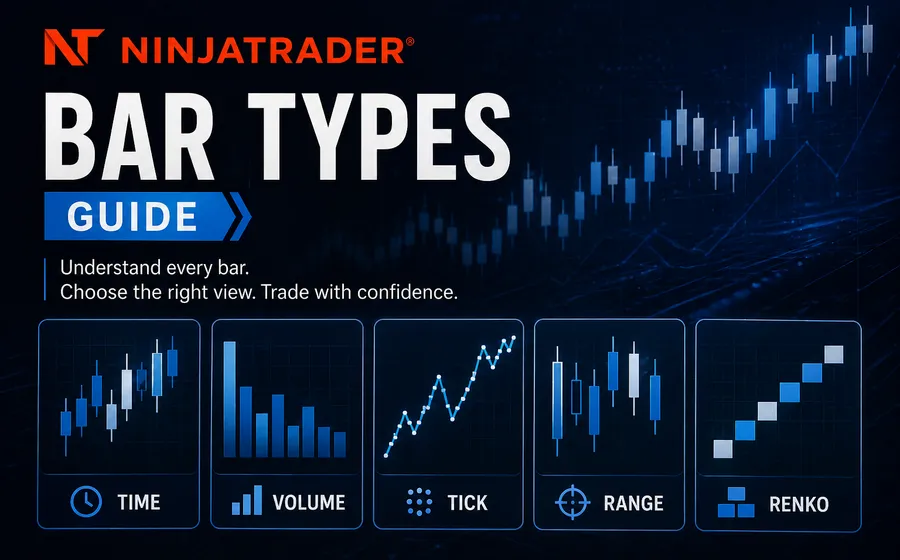
Bar type selection changes what a NinjaTrader indicator or strategy sees. That means it can change signals, backtests, alerts, entries, exits, and the way a trader interprets the market.
This guide explains how to think about NinjaTrader bar types before you buy a chart tool, request a custom indicator, or build an automated strategy.
Why bar type matters
A bar is not just a visual choice. It is the data structure your indicator or strategy reads.
A moving average on a 5-minute chart is not the same input as a moving average on a tick chart, volume chart, Renko chart, range chart, or volumetric chart. The price sequence, volume distribution, and timing can all change.
That matters for:
- Signal timing.
- Backtest results.
- Market Replay behavior.
- Intrabar order logic.
- Indicator calculations.
- Strategy start behavior.
- Chart reloads and historical data availability.
If the trading idea depends on a specific bar type, that needs to be part of the project scope.
Common NinjaTrader bar types
NinjaTrader supports several built-in bar types, and traders often add custom or third-party bar types for specific workflows.
Common choices include:
- Time bars: Good for simple charting and standard strategy comparison.
- Tick bars: Useful when trade activity matters more than clock time.
- Volume bars: Useful when each bar should represent a similar amount of traded volume.
- Range bars: Useful when a trader wants fixed price movement per bar.
- Renko bars: Useful for smoothing price movement and reducing time-based noise.
- Volumetric bars: Useful for order-flow analysis and bid/ask volume context.
- Delta bars: Useful when buying and selling pressure matters to the workflow.
Each type has tradeoffs. The best choice depends on the tool, the market, the data feed, and the behavior you need to measure.
Volumetric, delta, and volume tools
Many NinjaTrader users arrive at bar-type decisions because they want better volume context. That can mean volumetric bars, delta bars, order-flow tools, or chart styles that make relative volume easier to read.
Moore Tech product examples include:
- Volume Depth Candles for 3D-style relative volume context inside each candle.
- Delta Bars for bar-by-bar delta-focused charting.
- NinjaTrader Volumetric Bars Indicator for volume and order-flow style context.
The right tool depends on whether you want a chart style, a calculation, a signal, or a strategy input.
Renko and custom bar decisions
Renko-style bars are popular because they can simplify chart structure. They can also create confusion when traders assume every Renko variant behaves the same way.
Before building a strategy around Renko or a custom bar type, define:
- Which Renko variant is being used.
- The brick size and reversal behavior.
- Whether wicks are included.
- Whether signals should use closed bars or intrabar movement.
- How the bar type behaves historically versus live.
- Whether the same behavior is available in Market Replay.
Products such as Time Limited Renko Bars can solve a specific charting need, but strategy logic still has to be tested around the actual bar behavior.
Bar type questions to answer before custom development
If you are requesting a custom indicator or strategy, answer these questions early:
- Which bar type should the tool use?
- Does it need to support multiple bar types?
- Should it calculate on bar close or intrabar?
- Does it need secondary data series?
- Does it rely on bid/ask, volume, delta, or only price?
- Should alerts and orders trigger differently during historical and real-time processing?
- Does the tool need to work on Market Replay?
These details affect both scope and testing.
When to use a product versus custom code
A product works well when the bar type or chart workflow already exists. Custom code makes sense when the bar type is only one piece of a larger workflow.
Use a product when you need a specific chart style, bar type, or visual tool. Use custom development when you need that data to drive alerts, order handling, dashboards, strategy logic, or platform-specific behavior.
For custom NinjaTrader work, see the NinjaTrader programming guide or request a NinjaTrader quote.